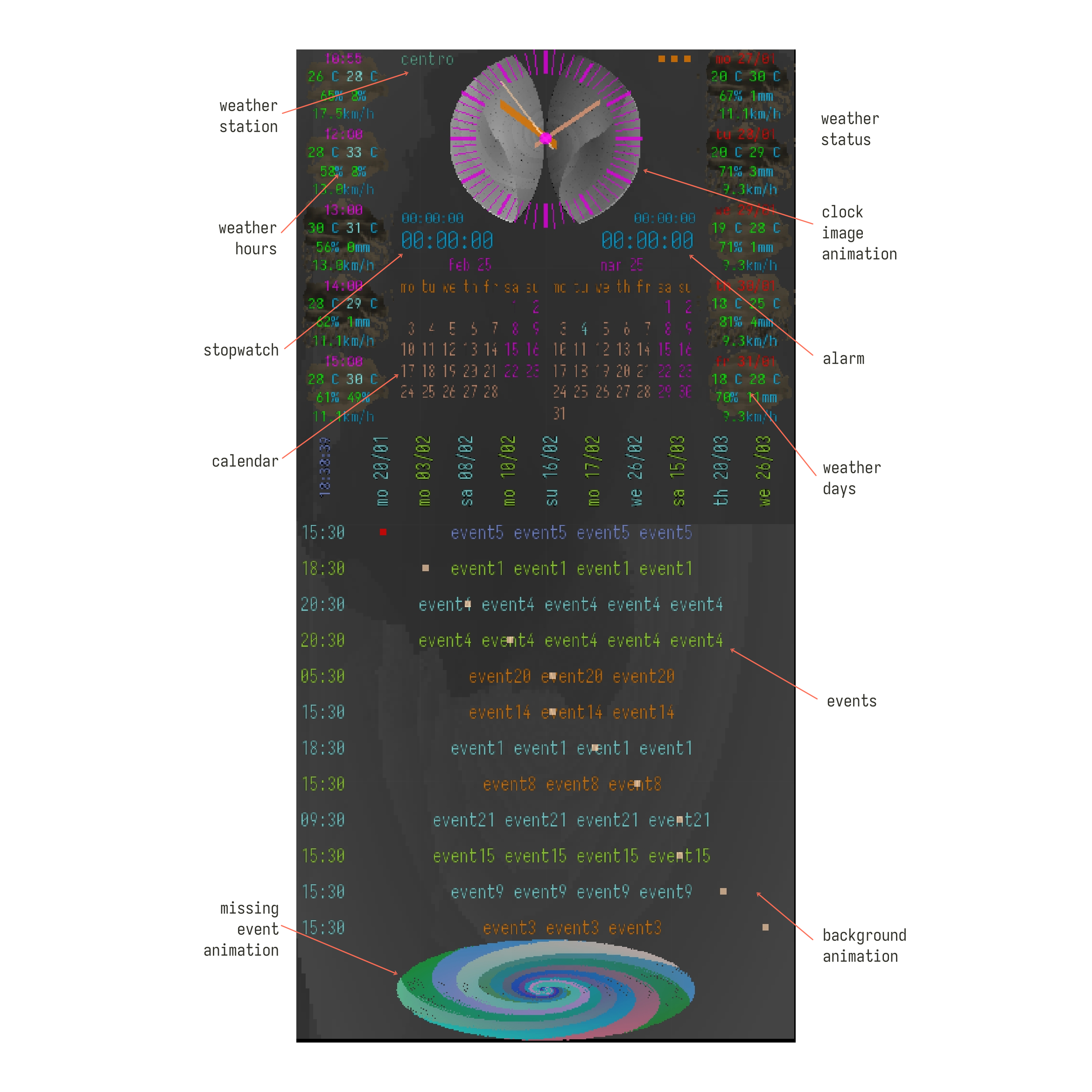
(a) the 'osa' software provides some features that can be very useful to the user in his/her daily life;
(b) the main functionality of scheduling events according to their day and time of occurrence, thus 'osa': (i) organizes such events chronologically, providing a view of the occurrence of a given event in relation to others, (ii) triggers an alert of the occurrence of a given event, according to the user's convenience for each event;
(c) in order to make its use more pleasant, 'osa' incorporates certain animations based on geometric and abstract figures, in addition to this, it adopts a color theme with small variations, but taking care that information can be highlighted with color variations and flashing elements;
(d) in addition, some functionalities considered as complementary are included, which aim to provide additional facilities to the user, for the definition of their events;
'osa' in the testing phase on the google play store, available soon
____________________________________________
home / privacy policy / ©2026 CAMBarbosa